
What’s new in
MotionEdge 2.3.1.
Start with a guided demo. Get a clearer coaching review. Put your next practice session into focus.
MotionEdge 2.3.1 is now available on the App Store for iPhone, iPad and Mac.


Learn by trying a real swing.
You don’t need to record a swing to find your way around MotionEdge. The new Getting Started demos walk you through real recordings and the same review tools you’ll use with your own videos.
Review a sample swing
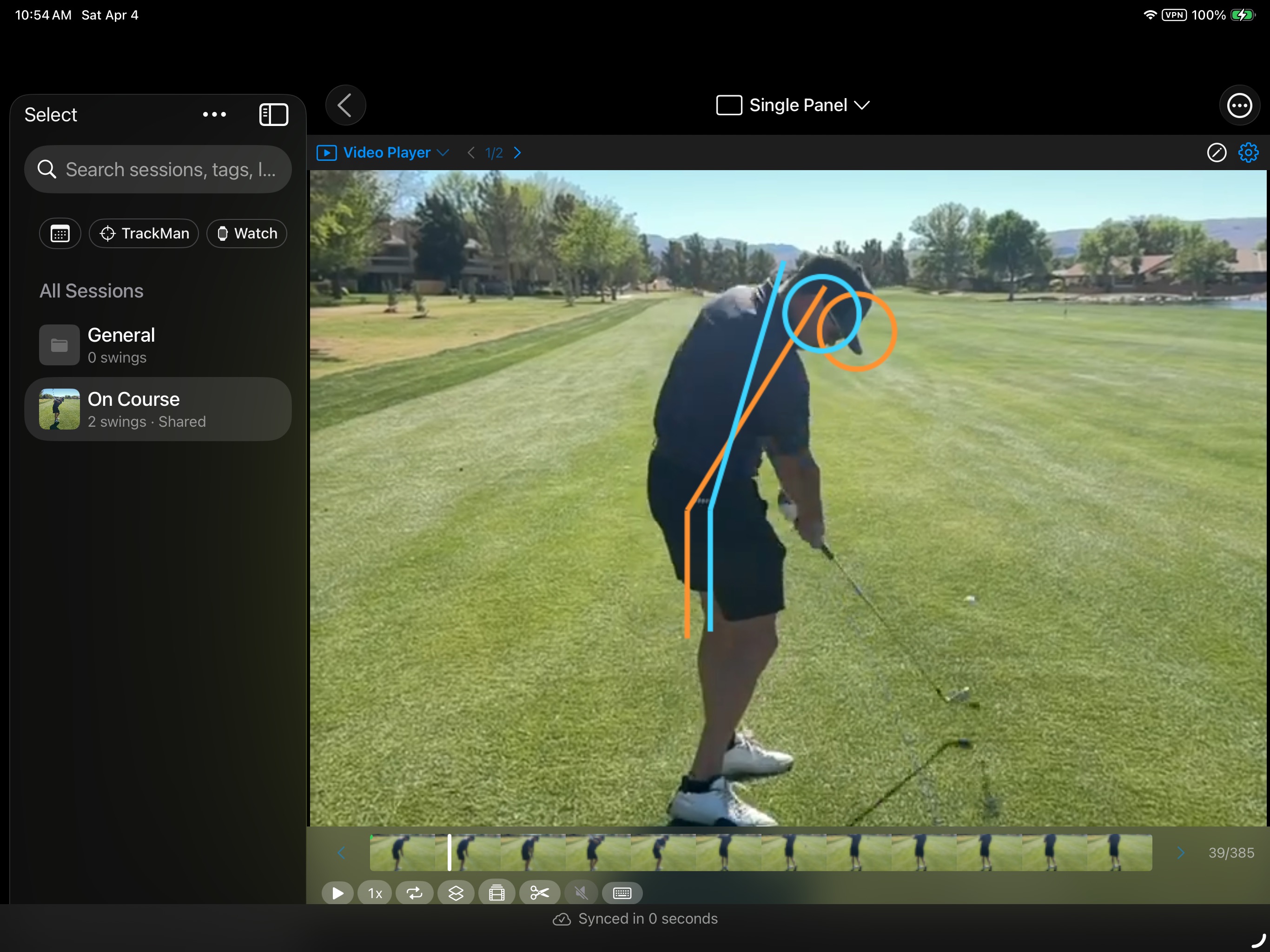
Start with James’s on-course shot. Follow the guide through setup overlays, shaft and clubhead tracking, swing details, and Posture Check. Explore the controls at your own pace, then open the sample’s local swing review and inspect the evidence behind its findings.
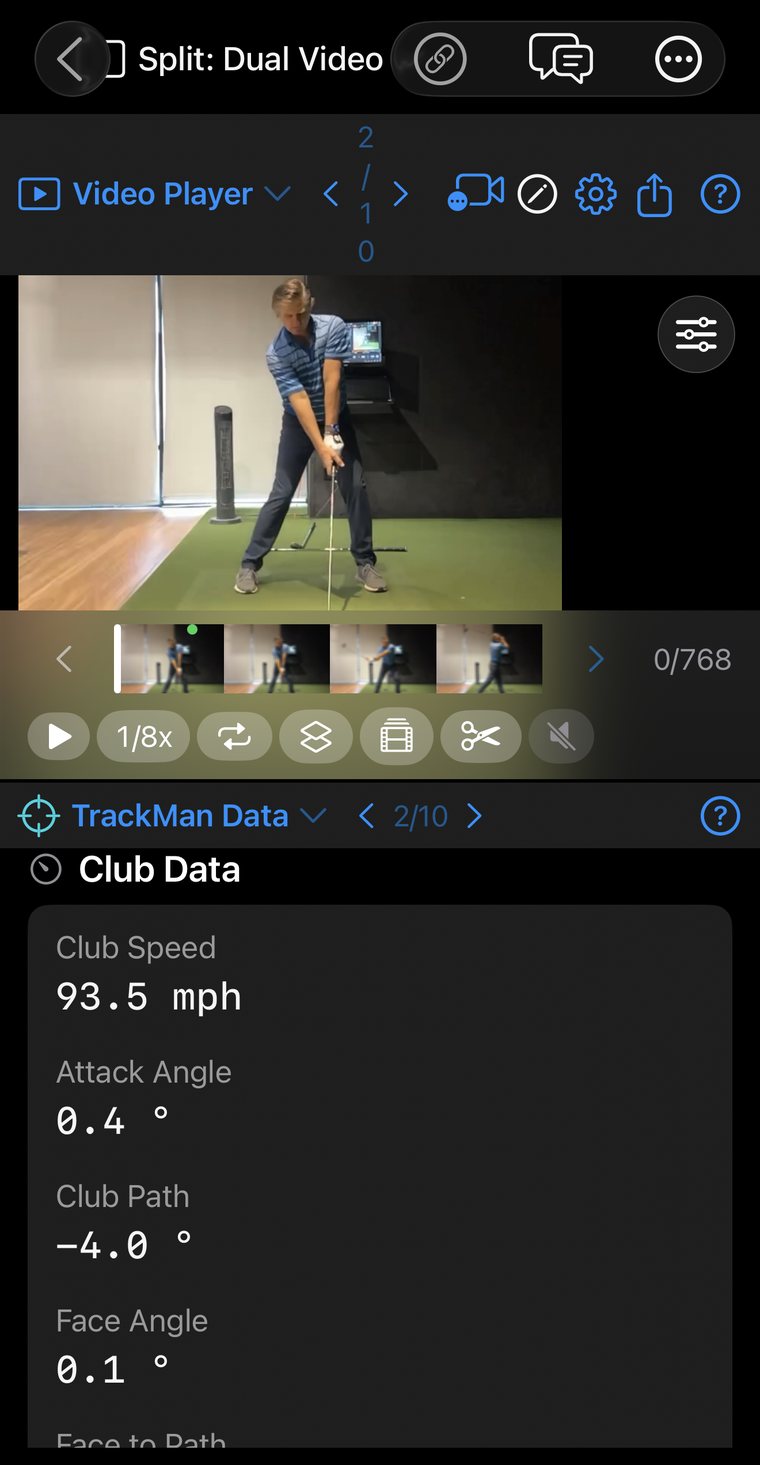
A TrackMan step opens an indoor shot with its own measured data. Switch between the numbers and a view that puts video alongside them. You can explore the sample without bringing a launch monitor to your first session.
Organize and share your videos
A second guide gives you a practice library to explore. Browse collections and sessions, try search, and learn where to find import, export, and sharing options. The examples include on-course, indoor, and range recordings, with two camera angles on one indoor shot.
The practice library stays separate from your personal swings. Both guides let you skip steps, leave, and continue later. Find them in Getting Started on Home, or under Learn the Basics when the top cards are hidden.
Understand what matters in your swing.
The updated AI Coach review brings the explanation into your conversation. Read what’s working, inspect your key focus, and see how the available measurements compare with Pro norms.
The review connects findings to moments in your video, so you can look at the motion being discussed. Expand the supporting measurements when you want more detail, then ask a follow-up about what to practice or how a change should feel.
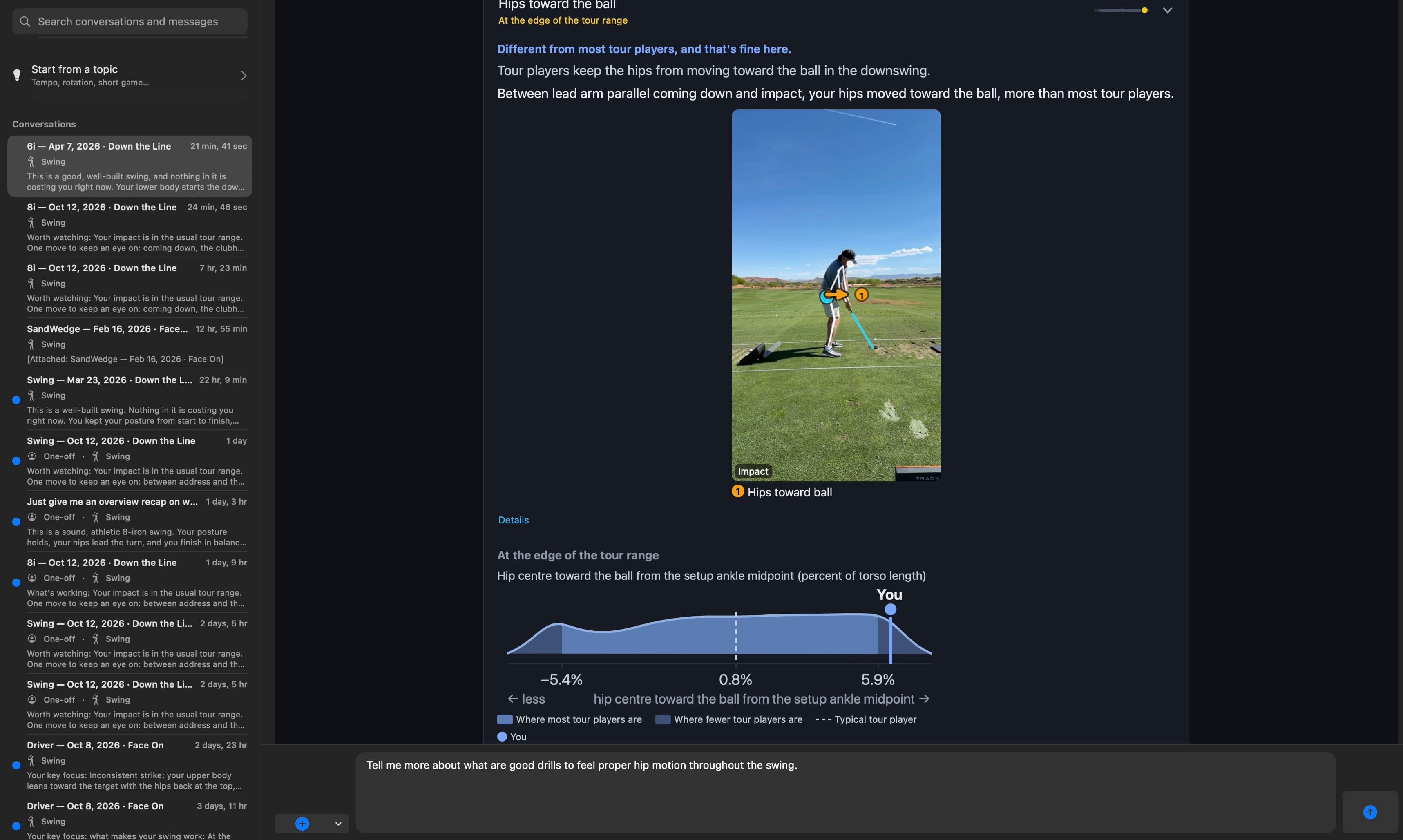
AI Coach is a Pro feature. The guided sample’s local review gives you a way to explore the evidence without starting a cloud coaching conversation.
Take the next step with Coach’s Corner.
When your review points to an area to work on, a relevant Coach’s Corner lesson gives you somewhere to go next. Read the key idea, explore a practice cue, and open the full lesson and its training videos where available.
That keeps the connection between your swing and your practice clear: start with the finding, understand the lesson, then take a specific focus into your next session.
Set up your camera with more confidence.
A useful review starts with a well-framed recording. Camera guidance helps you check level and distance before you swing, with optional spoken cues as you position your device.
Once you’re reviewing the video, explore the setup guides and tracking overlays to understand what you’re seeing. Shaft Check reference planes are also available in the player overlays.
Try the new demos.
Update MotionEdge, open Home, and choose a Getting Started guide. Whether you’re exploring the app for the first time or returning to tools you haven’t tried, the sample swings give you a place to begin.
Need a hand? Read the Getting Started guide →