Golf swing analyzer app
A golf swing analyzer that tells you what to fix.
MotionEdge turns the camera you already own into a golf swing analyzer for iPhone, iPad and Mac. No sensor to clip on. Every swing is captured and graded before your next ball.


Your phone is the analyzer.
Many swing analyzers are a sensor you clip to a glove or a club, and they measure the club or your wrist. MotionEdge works from video instead.
Lean your phone against your bag or set it on a tripod, and it detects each swing and records it on its own. You see the whole body and the club, not only a number.
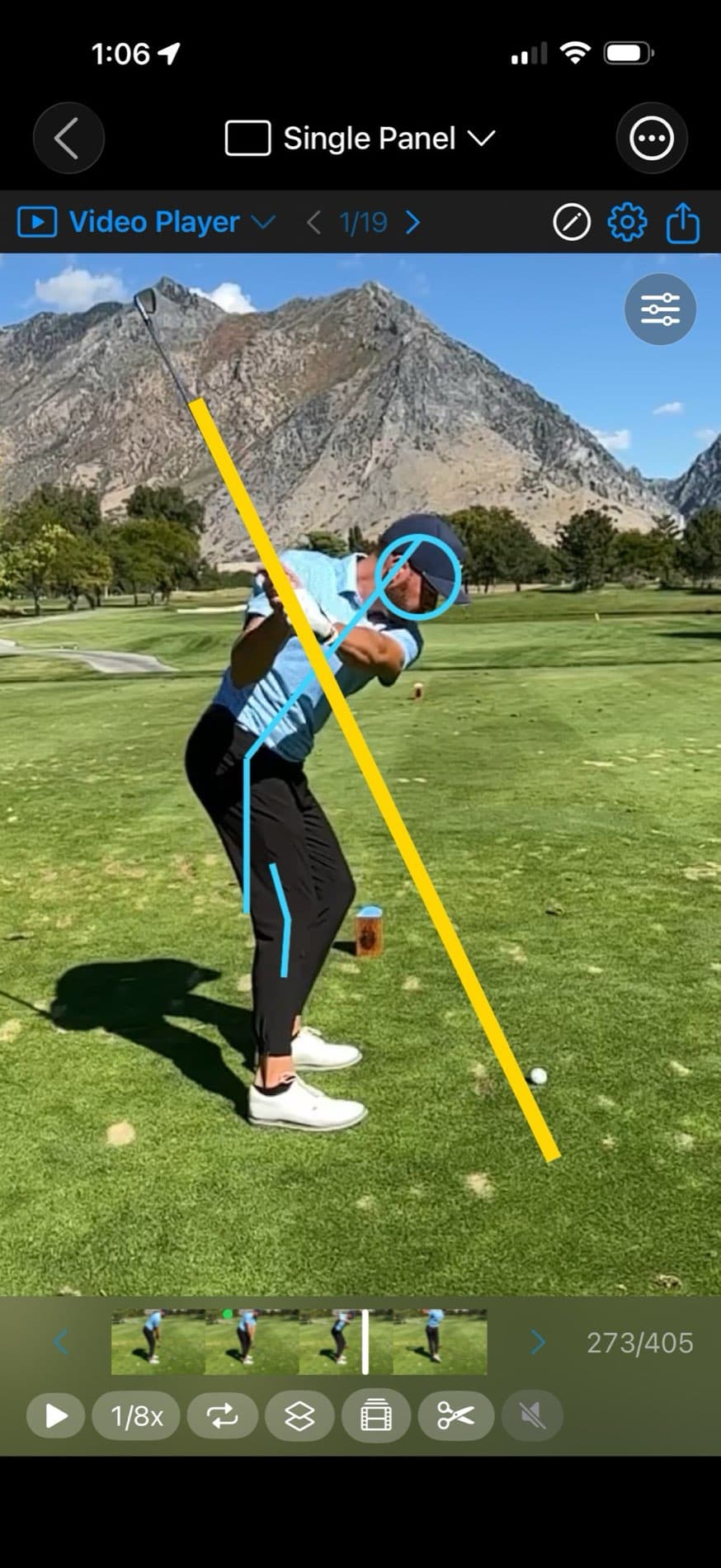
Graded on your device
What it grades on every swing.
All of it is free, and all of it runs on your phone. No upload, no queue, and no signal needed at the range.
Posture Check
Address and impact side by side, with the change in spine tilt and hip depth measured.
Hand Path
Your downswing against your backswing, graded on plane or over the top.
Shaft Check
Finds the club on your frames and shows where the shaft sits against your setup plane.
10-position Filmstrip
Address through finish, the positions that matter, laid out side by side.
Tempo
Your backswing-to-downswing ratio, plus haptic tempo training on Apple Watch.
Compare
Up to 10 swings side by side, from any session or a tour pro's.
Then ask what to fix.
The AI coach works from the same measurements and from the frames themselves, so it can name the fault that matters most and what to feel on the next ball.
It is a second opinion between lessons, not a replacement for a great teacher.
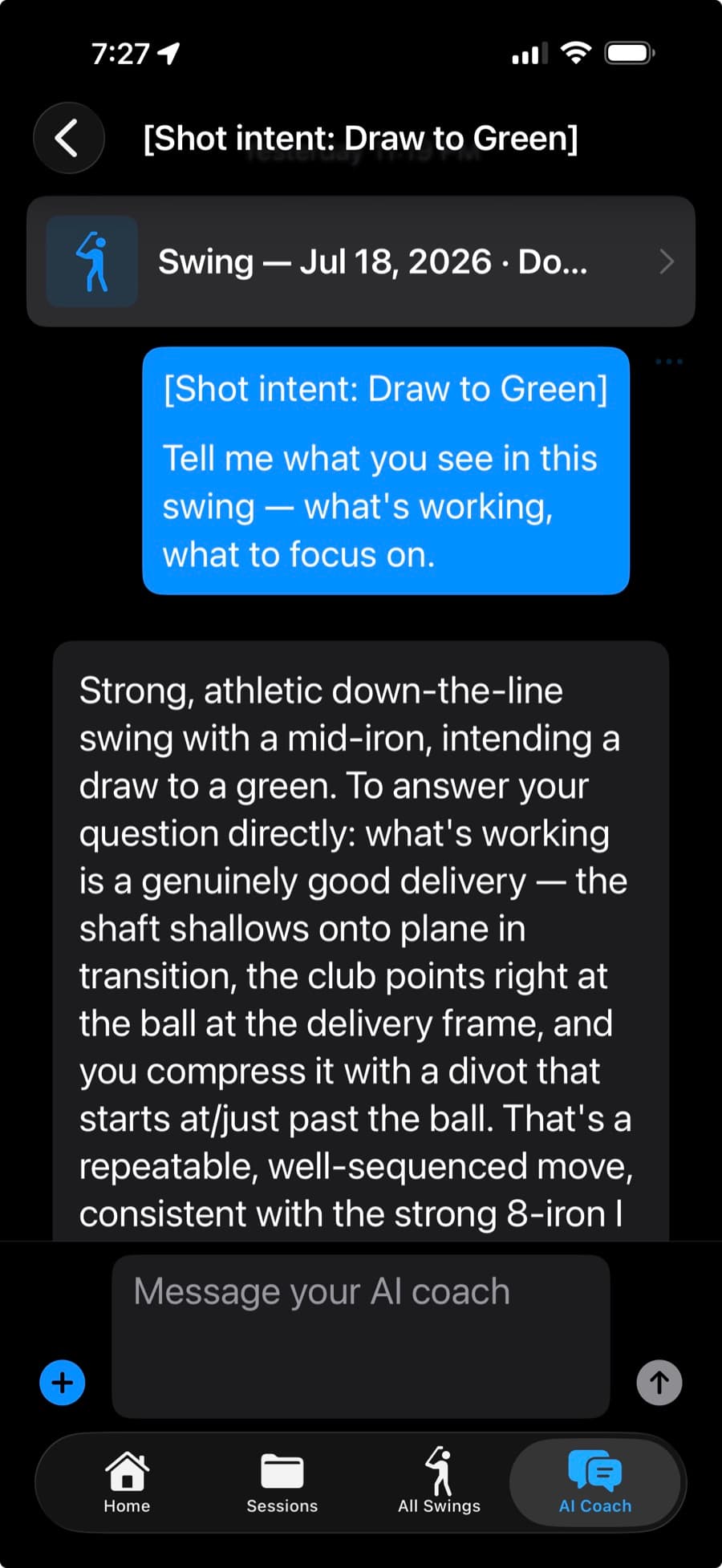
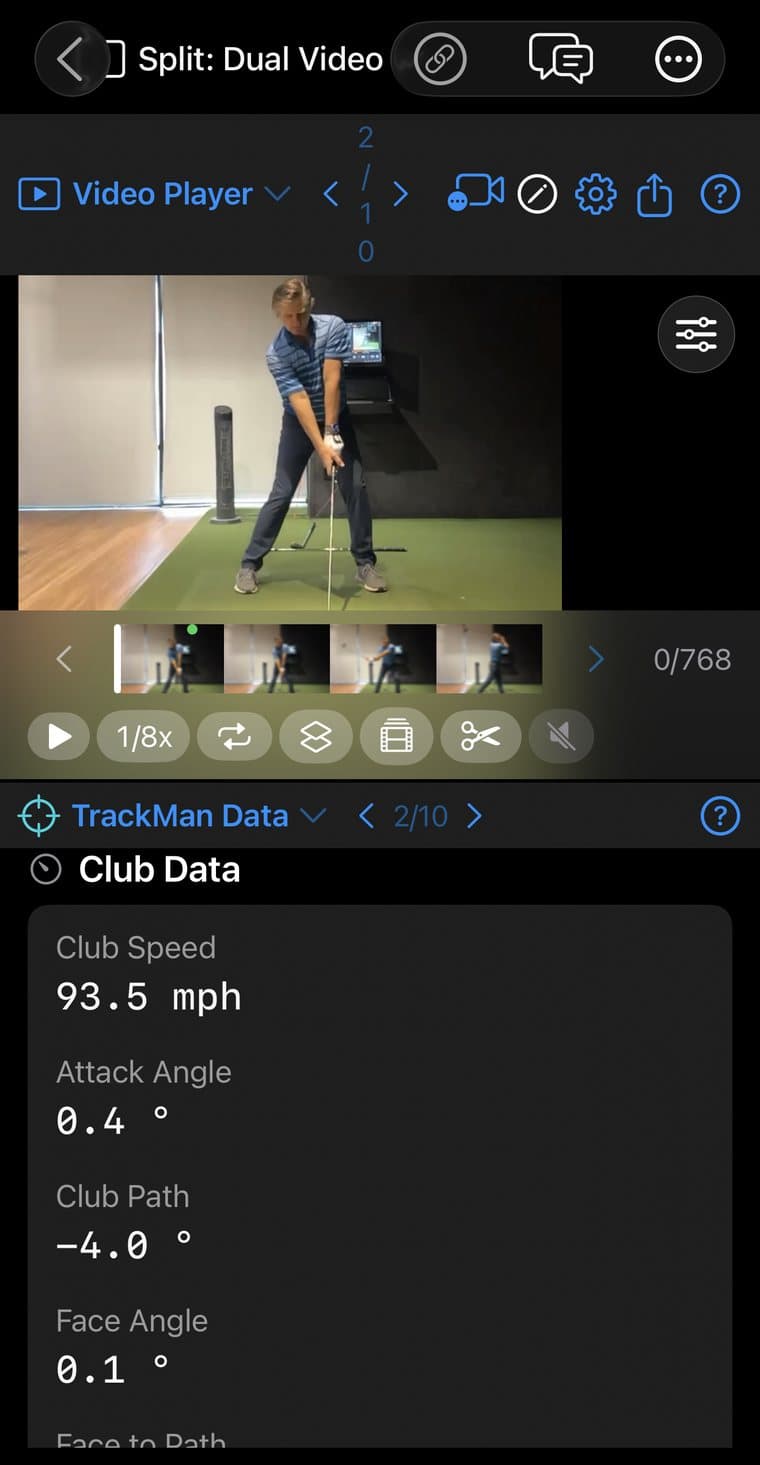
Put the numbers next to the swing.
Import a TrackMan session, paste a TrackMan Report link, or connect live so each shot pairs with its video automatically. Club speed, attack angle, club path and face angle sit beside the frame that produced them.
Pricing
Free to start. Pro for the AI coach.
Capture, every grade above, drawing tools, comparison and Apple Watch are free, with up to 25 saved swings. MotionEdge Pro adds the AI coach, TrackMan, Remote Camera, sync across your devices and sharing with your coach.
Common questions.
- What is a golf swing analyzer app?
- An app that records your swing and measures it, so you can see what changed instead of guessing. MotionEdge grades posture, hand path and the club on every swing, then lets an AI coach explain what to fix.
- Do I need a sensor or a launch monitor?
- No. MotionEdge works from your phone's camera. If you have a TrackMan, you can bring its numbers in with MotionEdge Pro.
- Does it work on iPad and Mac?
- Yes. MotionEdge has native apps for iPhone, iPad and Mac. Review on the bigger screen at home; with Pro, your swings sync across your devices.
- Should I film face-on or down-the-line?
- Either works. Set the phone face-on or down-the-line; Shaft Check reads both views.
- Is it free?
- Yes, to start. Capture, grading, comparison and Apple Watch are free with up to 25 saved swings. The AI coach and TrackMan are part of MotionEdge Pro, with a 7-day free trial.
See what your swing is doing.
Download free. Pro is $9.99/mo or $79.99/yr after a 7-day trial.