
MotionEdge for Mac
Golf swing analysis on the big screen.
See every position in detail, put your swings side by side, and watch yourself live from the mat. Your swings from the course are waiting when you get home.

Free download · Native Mac app · Apple silicon, macOS 26 or later
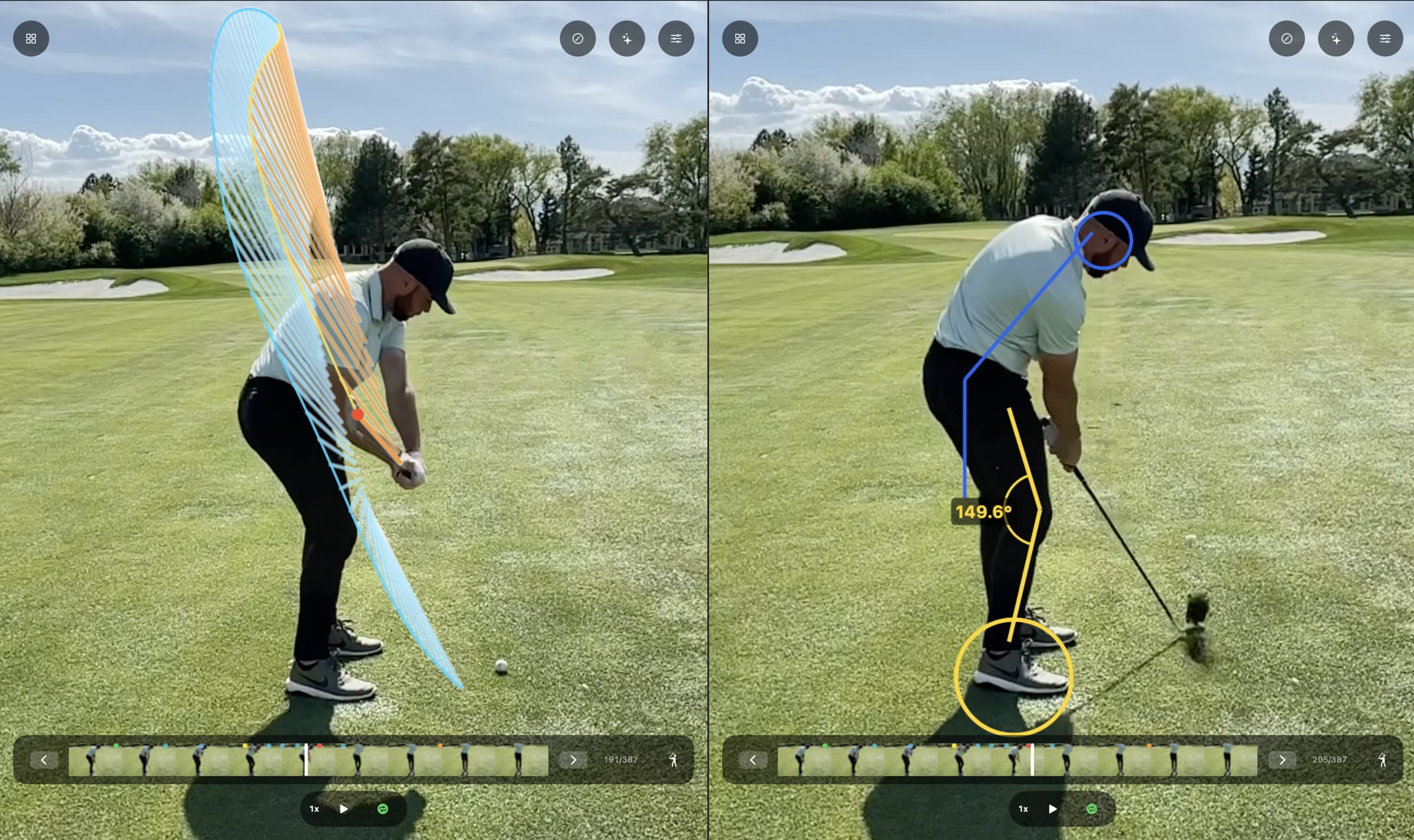
Every detail
See what a phone screen hides.
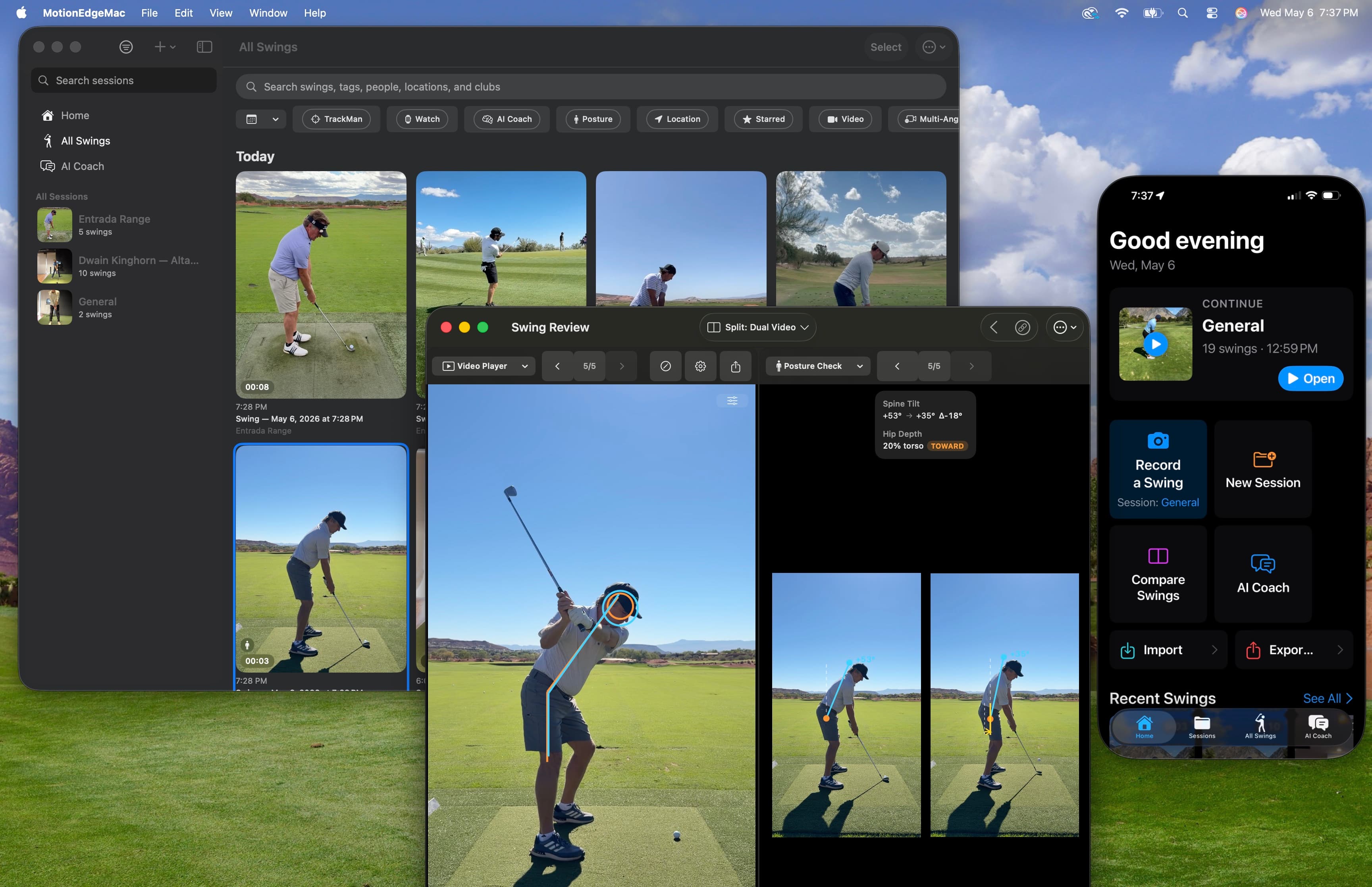
On a phone, a swing review is a postage stamp. On a Mac, the video, the 10-position Filmstrip, Posture Check and Hand Path sit on one screen at full size, so you read the frames instead of squinting at them.
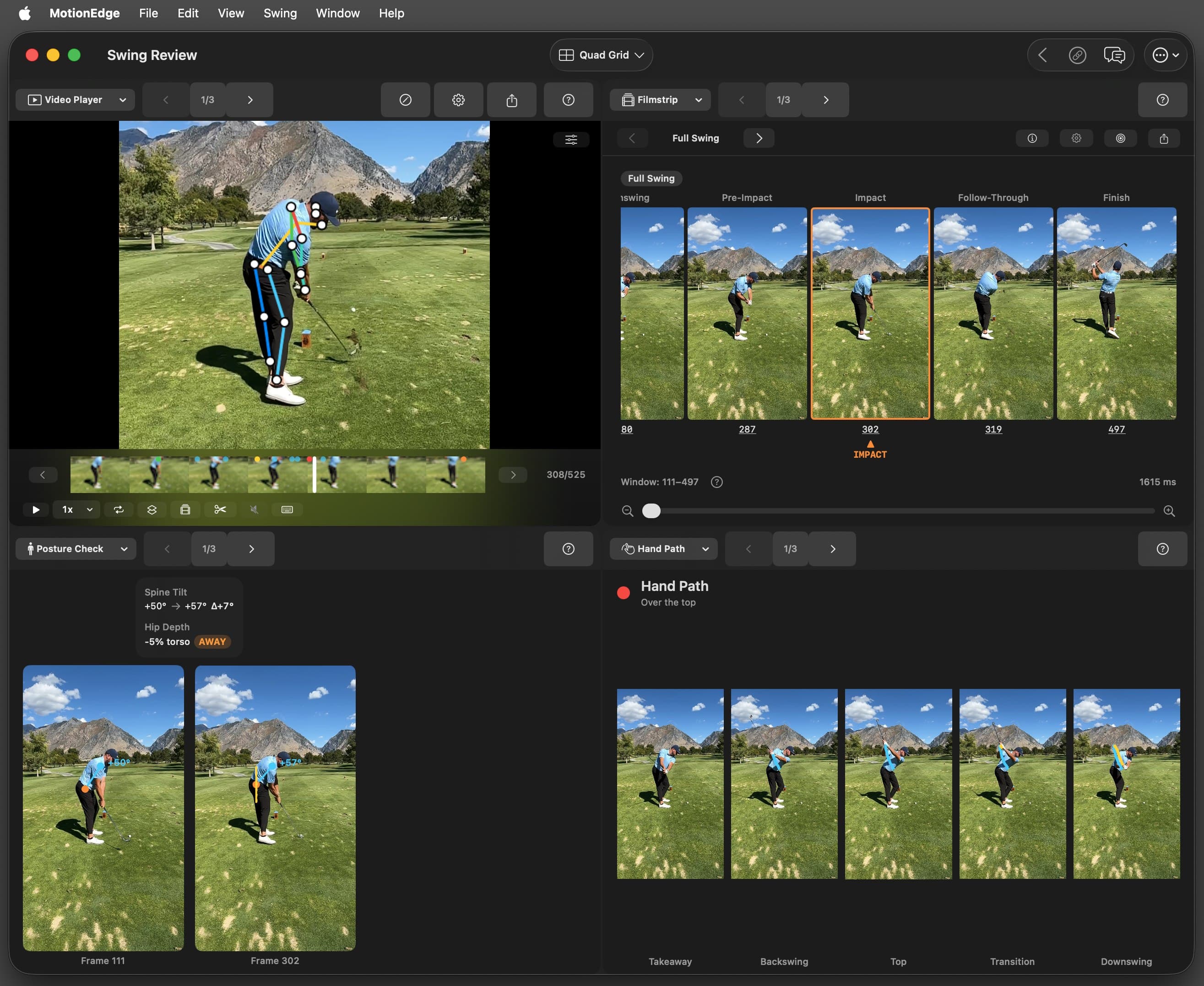
Built for Mac
A real Mac app, not a stretched iPad app.
Open a swing, a comparison, the AI coach and your session stats each in its own window, resize them, and arrange them across your screen or an external display. It has a real menu bar with a Swing menu, keyboard shortcuts for frame-by-frame review, and trackpad zoom on every panel.
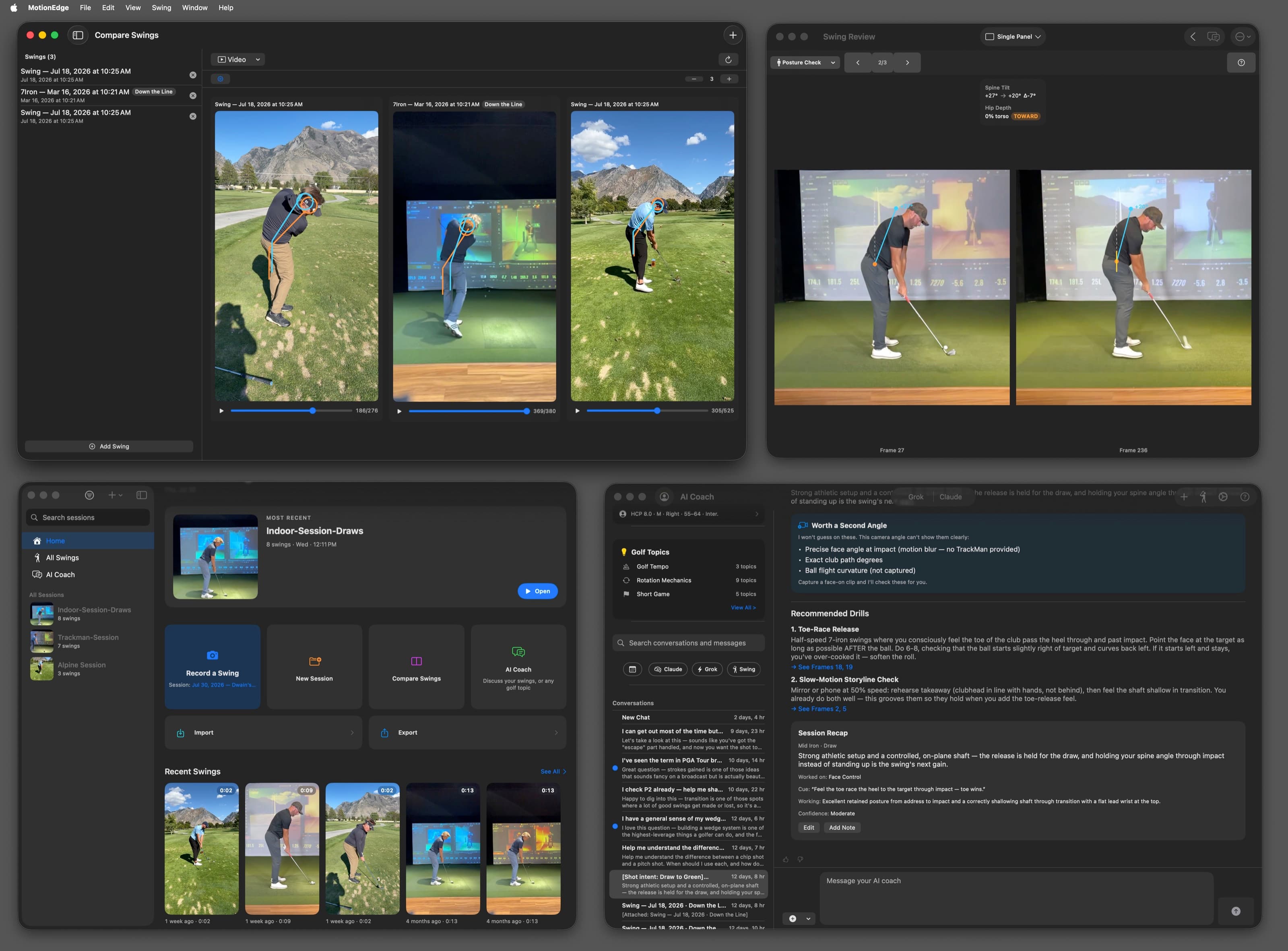
Windows
A swing, a comparison, the AI coach or session stats, each in its own window.
Keyboard
Arrow keys step frame by frame; up and down walk the 10 positions.
Trackpad zoom
Pinch to zoom any panel, and the overlays scale with the image.
Menu bar
File, Edit, View, Swing and Window menus, and ⌘` to cycle windows.
Compare
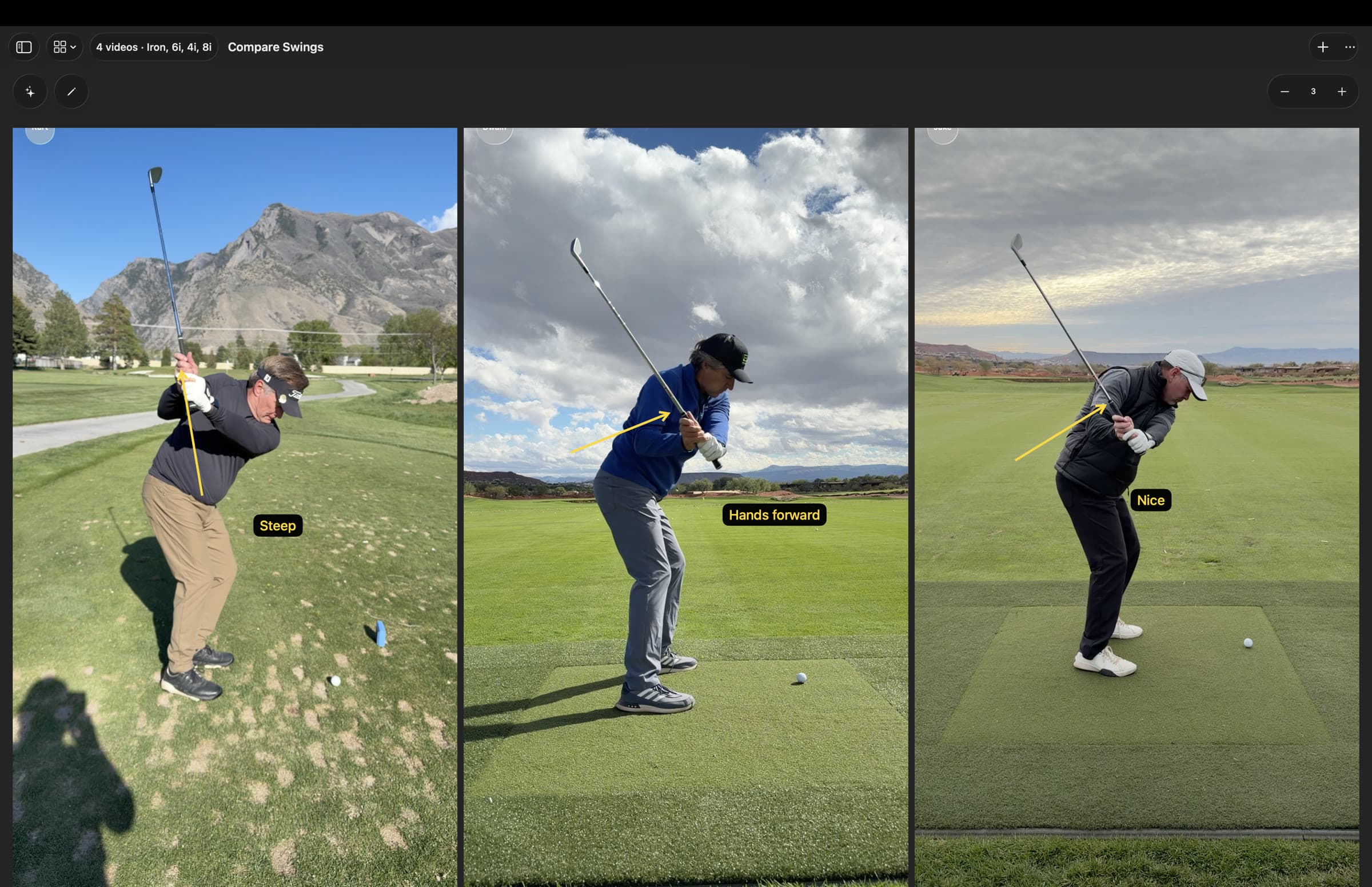
Compare swings. Spot the difference.
Line up to 10 swings next to each other at the same position, from any session, a friend or a pro you imported. On a Mac each one stays large enough to see why it differs, not just that it does.
Remote Camera · Pro
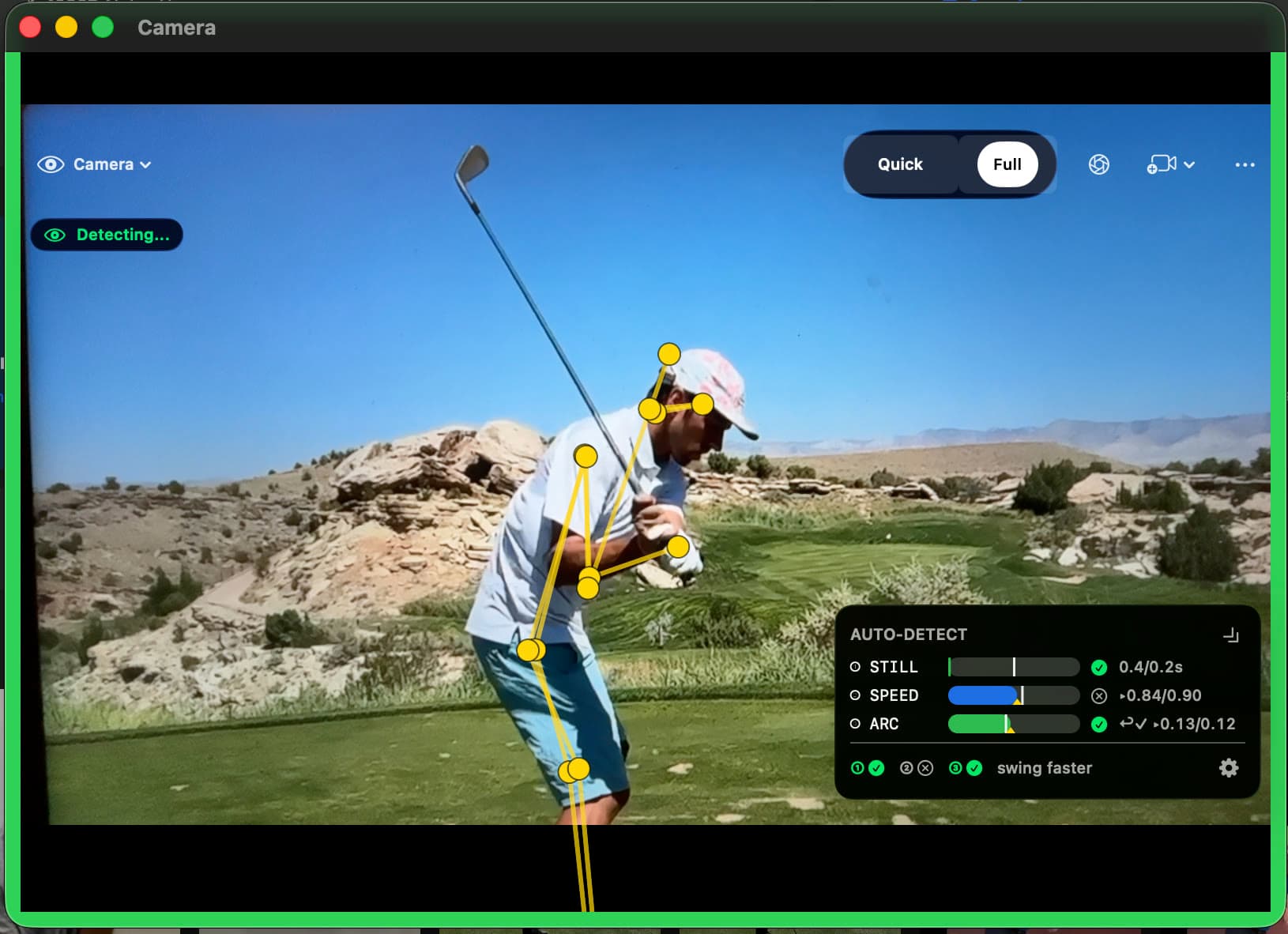
Your Mac becomes a mirror on the mat.
Set your Mac on the ground in front of you and an iPhone on a tripod beside the mat. The iPhone films; the Mac is the Director, showing the live feed while you rehearse. Swing, and the capture is saved and graded before you look up.
- Up to 4 iPhones as cameras, face-on and down-the-line at once
- The Mac shows every live feed and detects each swing
Synced via iCloud · Pro
Film on the course. Study it at home.
Record on your iPhone at the range or on the course. With Pro, your swings sync through iCloud, so they are on your Mac when you get home, graded and ready for a closer look.
One license
Your swings. Every screen.
The app is free on iPhone, iPad and Mac. One MotionEdge Pro subscription unlocks Pro on every device signed in to your Apple ID, and Family Sharing extends it to up to six people.
iPhone
Capture on the range or the course, hands-free.
iPad
Review between shots on a screen you can hold.
Mac
Study, compare and coach on the biggest screen you own.
Import
Import any swing. Grade it on your Mac.
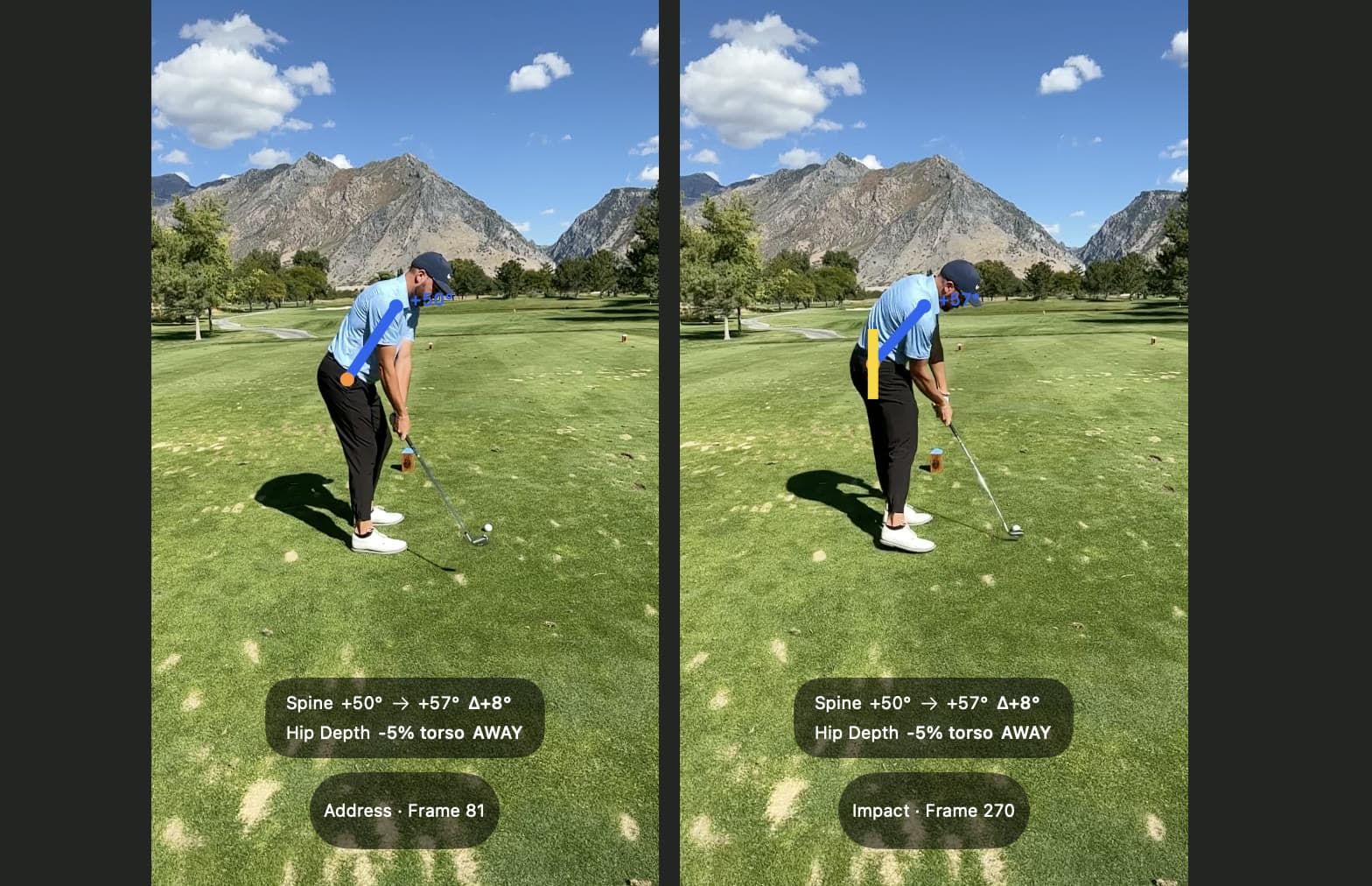
Bring in swing videos from Photos, iCloud Drive, Dropbox or a USB drive, whether you filmed them years ago or saved a pro's swing. Posture Check, Hand Path, Shaft Check and the Filmstrip run on your Mac, free, with nothing uploaded.
Common questions.
- Does MotionEdge run on my Mac?
- It needs a Mac with Apple silicon running macOS 26 or later. It is a native Mac app from the Mac App Store, built for windows, a keyboard and a large screen.
- Do I need an iPhone?
- No. You can record with your Mac's built-in camera, or use an iPhone as a Continuity Camera without installing anything on it. Running MotionEdge on an iPhone as a Remote Camera gives you full camera control, and that is part of Pro.
- Is it one purchase for iPhone, iPad and Mac?
- Yes. The app is free on all three, and one MotionEdge Pro subscription unlocks Pro on every device signed in to your Apple ID. With Family Sharing it covers up to six people in your household.
- Can I analyze videos I did not record in MotionEdge?
- Yes. Import a swing video from Photos or from Files, including iCloud Drive, Dropbox or a USB drive, and every grade runs on it the same way it does on a swing you captured.
- Is it free?
- Yes, to start. Capture, grading and comparison are free with up to 25 saved swings. The AI coach, TrackMan, Remote Camera and iCloud sync are part of MotionEdge Pro, with a 7-day free trial.
Your swing, big enough to fix.
Download free on the Mac App Store. Pro is $9.99/mo or $79.99/yr after a 7-day trial.