
What’s new in
MotionEdge 2.4.1.
One view for the measured checks. Hear them after the shot. Keep your own words with the swing.
MotionEdge 2.4.1 is available on the App Store for iPhone, iPad and Mac. Swing Scorecard, the launch monitor panel, spoken checks, voice notes, camera setup guides, Messages, and the iPhone layouts below shipped in 2.4. This point release adds a few performance fixes, and it includes the security update to a third-party networking component from 2.4.


The measured checks, in one view.
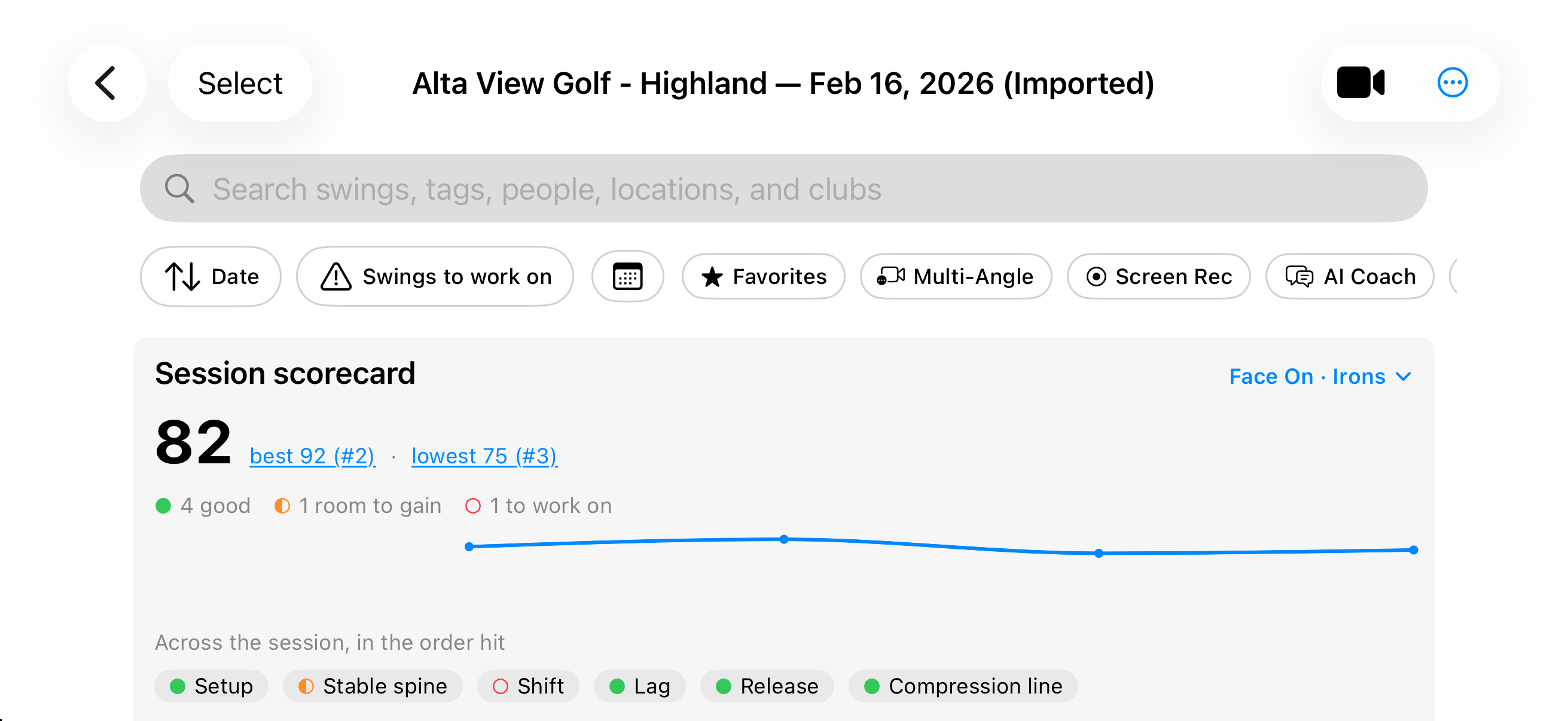
Swing Scorecard puts the measured checks for a swing in one place, with the frames and the numbers behind every card. It is included with MotionEdge Pro. When you want to talk a card through, take it into AI Coach.
Checks lists each measured check. Review says the same result in plain words. On Video draws it on the swing. The header shows the score, how many checks were measured, and the camera view.
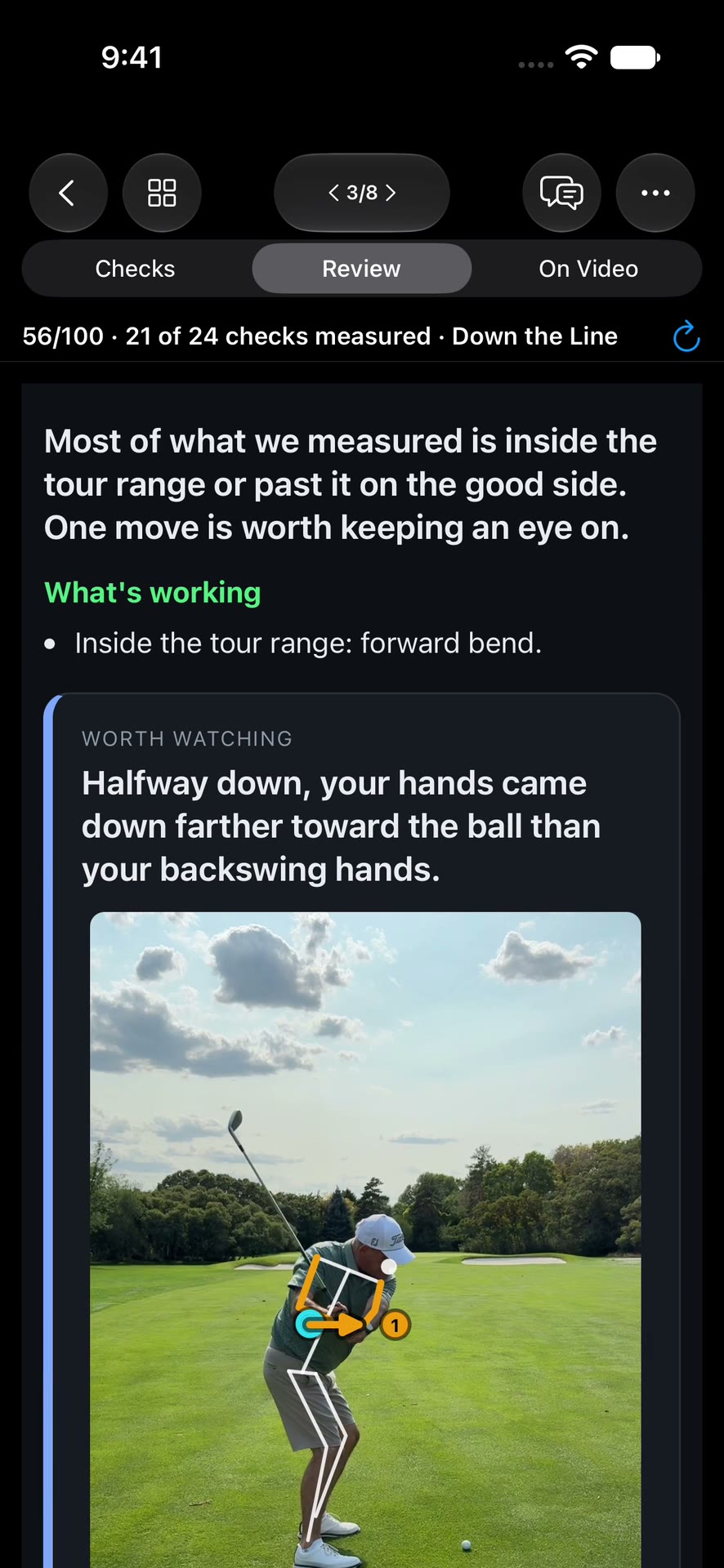
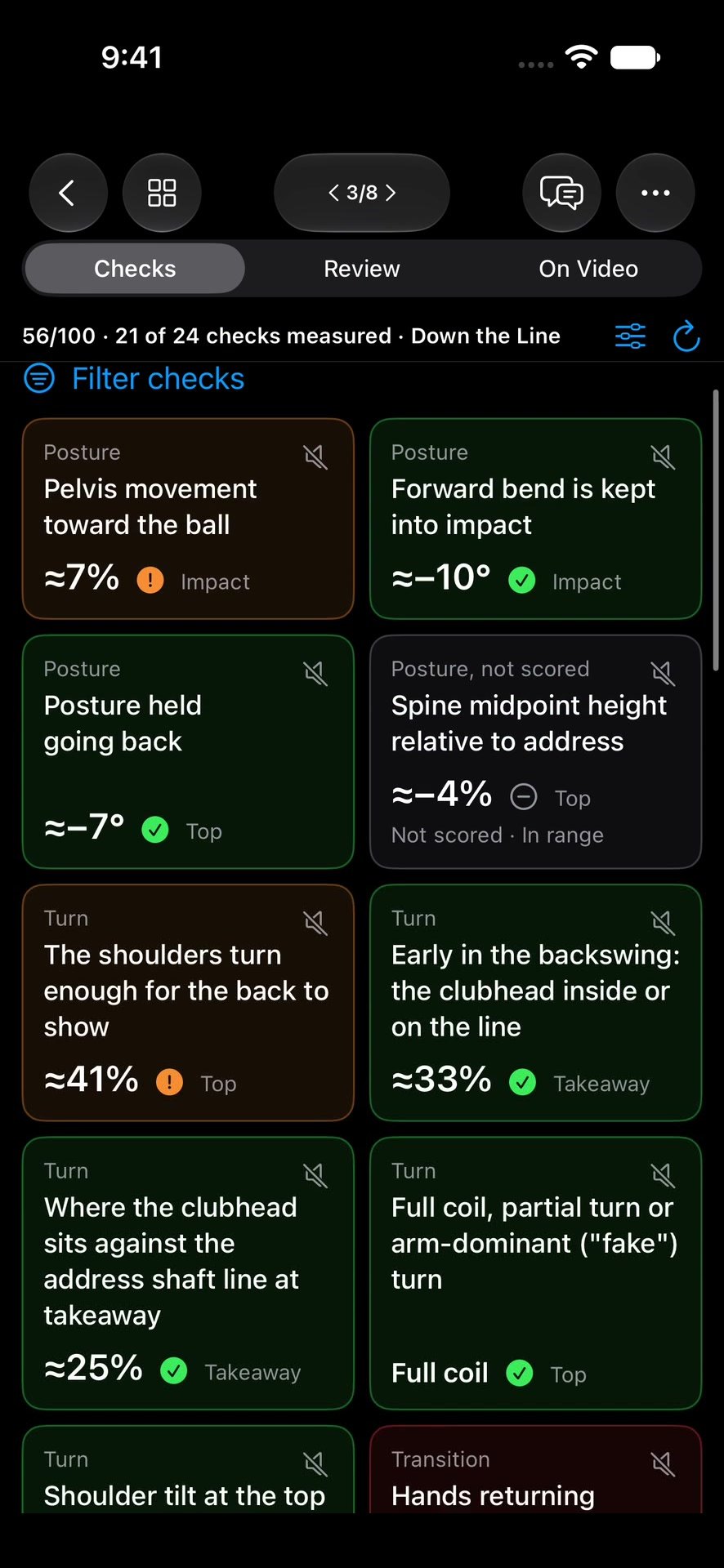
See how far you moved from setup.
A review finding can show how much changed from your setup. Your setup position is drawn next to where you ended up. Tap Show the change to watch that move happen.
TrackMan numbers beside the scorecard.
When a swing has TrackMan numbers, they get their own panel beside the Scorecard, with the typical tour range for that club. The radar numbers stay TrackMan’s. MotionEdge does not estimate them.
Hear how it went, then hit the next ball.
You can stay at the ball. MotionEdge reads the checks you chose aloud after each swing, so you do not walk back to the screen to see how it went. Hearing the checks is included with MotionEdge Pro. The speech is produced on the device. It does not start an AI Coach conversation.
Say how the shot felt.
After a swing, say how it went. MotionEdge saves that as a comment on the swing. Say “tag” and the next few words become tags on the same swing. Notes is the control for that, separate from the cards you hear.
Line the camera up before you swing.
Face-on and down-the-line golfer outlines help you place the camera so the whole swing, club included, stays in the frame. Match the outline for size and position. It fades when the screen says camera framing is ready. Roll and pitch tell you how far the phone is from level.
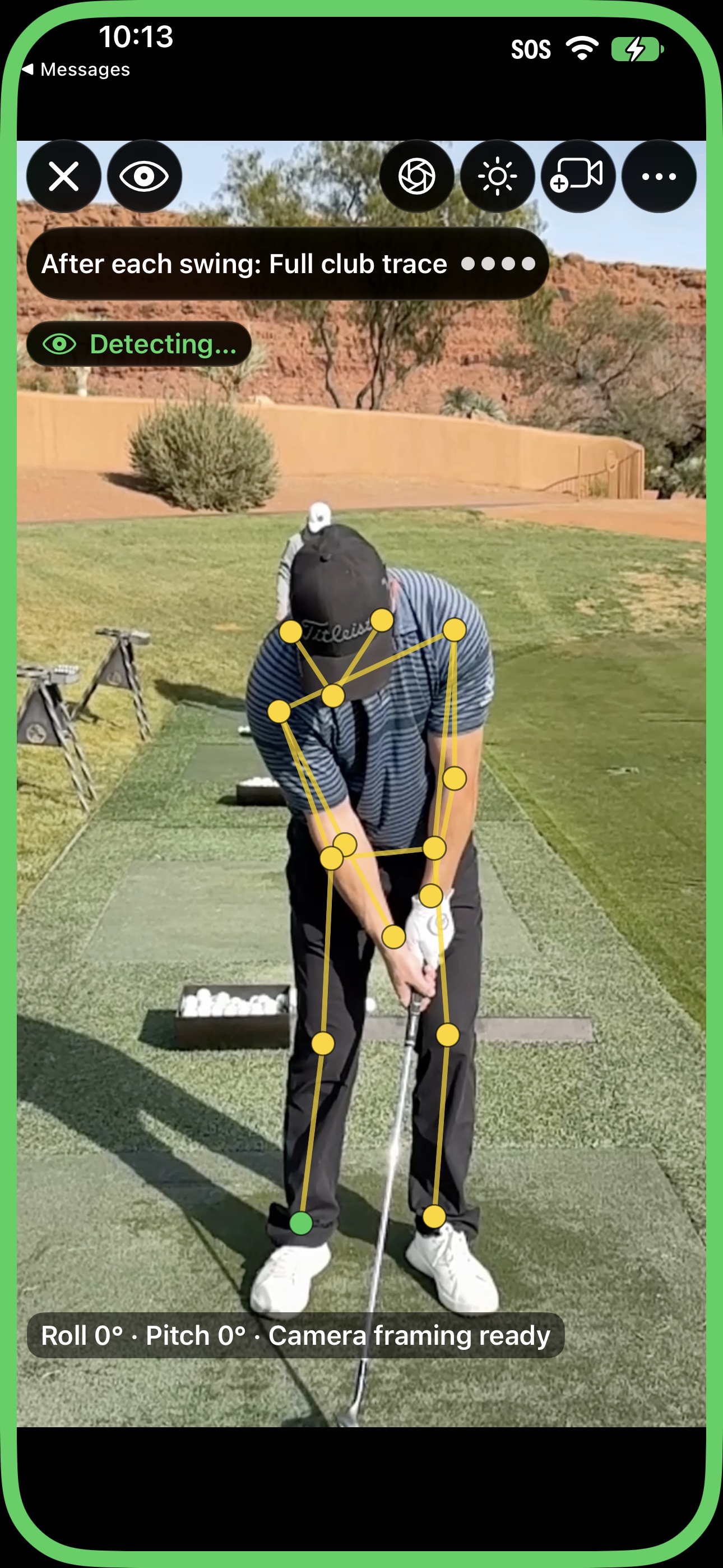
These outlines are for placing the camera. They are not the setup guides you see later, in video review.
Product news lives on Home.
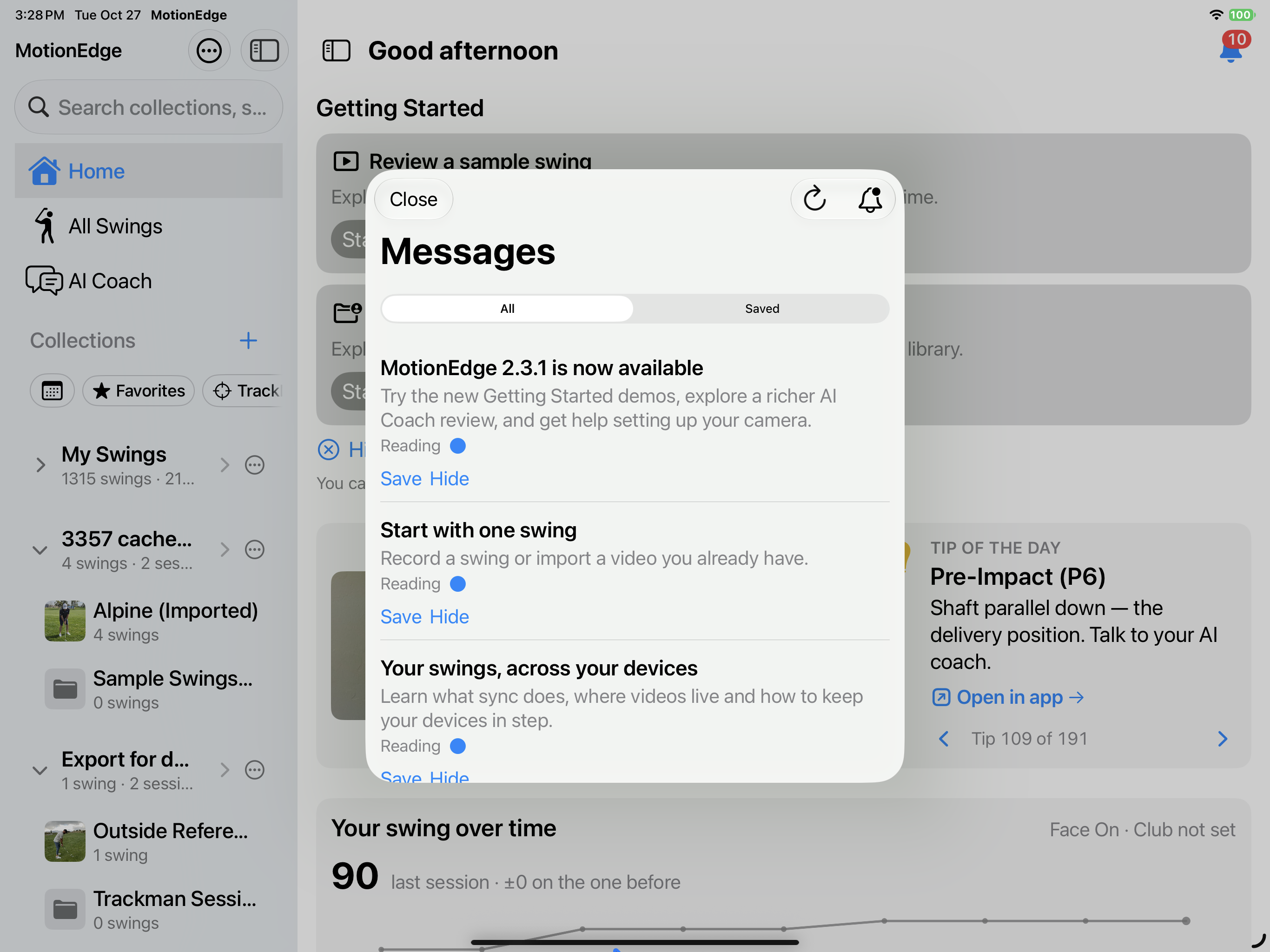
The bell on Home opens Messages: tips, how-tos, and videos in one inbox. Save one to come back to, or hide one you do not need. Turn on Product news in Settings if you want a heads-up when something new arrives. The inbox still works with that off.
iPhone Duo, and landscape on any iPhone.
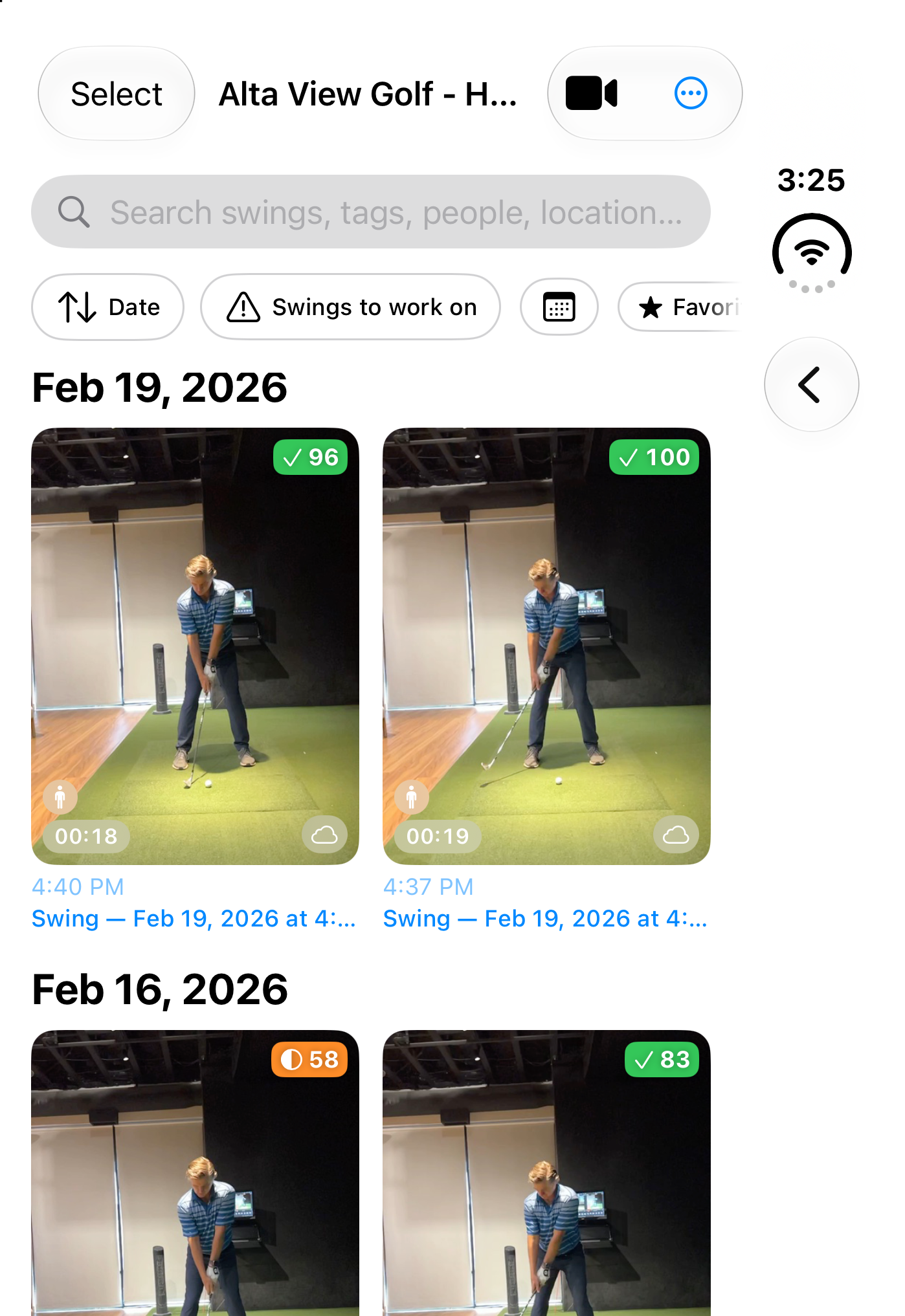
MotionEdge supports iPhone Duo: the cover screen, the unfolded display, and the half-width view. The same review tools stay in reach as the space changes. Turn any iPhone sideways and the app works in landscape, including session filters beside the session scorecard.
Update, then open a swing.
Install MotionEdge 2.4.1, open a swing, and read the scorecard. Hear one check on the next ball if you want to stay at the range. 2.4.1 also carries a few performance fixes, and the security update to a third-party networking component that came with 2.4.
Questions: support@motionedge.ai. The scorecard itself is in Swing Scorecard and Session Scorecard.